
How to Create a QR Code for a PDF, Manual or Document
A real walkthrough of putting a PDF behind a QR code with FreeQR — linking to a PDF you already host, or uploading one for FreeQR to host, and replacing it later without reprinting.
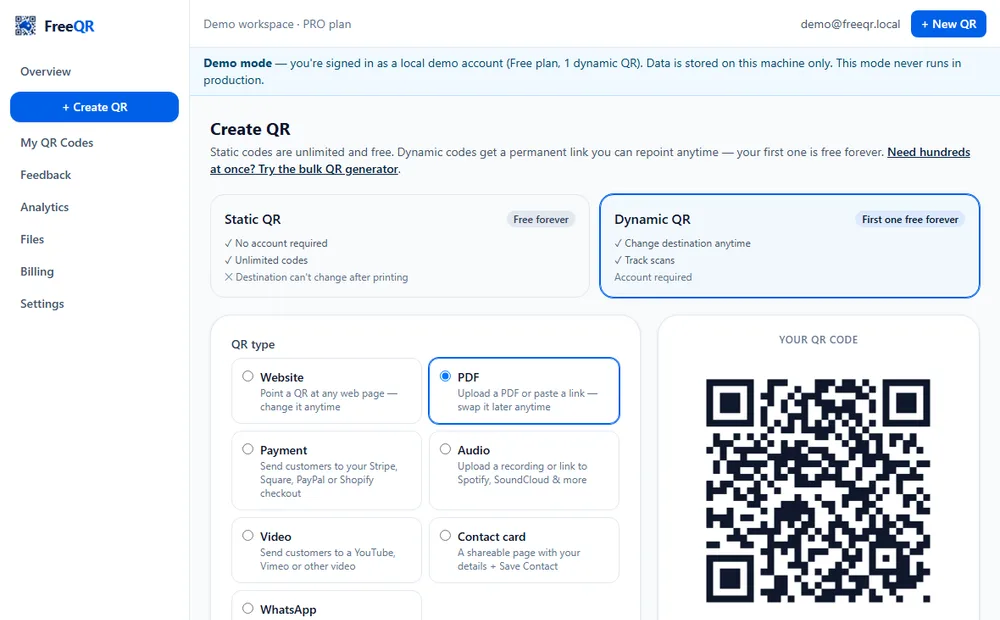
A QR code that opens a PDF is one of the most useful, least glamorous things you can print: a menu that updates with the season, a product manual that doesn't need its own webpage, a brochure a visitor can open without you handing them anything. FreeQR supports this two genuinely different ways, and this guide shows both, for real, with a fictional demo PDF.
Two ways to put a PDF behind a QR code
A. Link to a PDF you already host. If your PDF already lives somewhere — your website, Google Drive, Dropbox — paste that link into FreeQR. This is free on every plan, Static or Dynamic, including the Free plan's one dynamic QR.
B. Upload it and let FreeQR host it. Don't have anywhere to host the file? Upload it directly (up to 20 MB) and FreeQR hosts it for you — your dynamic QR points straight at the hosted file. This needs the Starter plan (A$4.99/month) and above; the Free plan's one dynamic QR can be any link-based type, but not an uploaded file.
These are genuinely different mechanisms, not just different UI — don't assume one where the other applies.
Setting it up: uploading a PDF, step by step
Choose PDF as the QR type
From Create QR, choose Dynamic QR, then the PDF type. Two source options appear: Upload PDF (the default) and Paste PDF link.
Upload the file
Give it a name and choose the PDF from your device. In this example, a fictional demo café's spring menu — FreeQR confirms the upload and explains plainly what happens next: it hosts the file, and you can replace it later without reprinting.
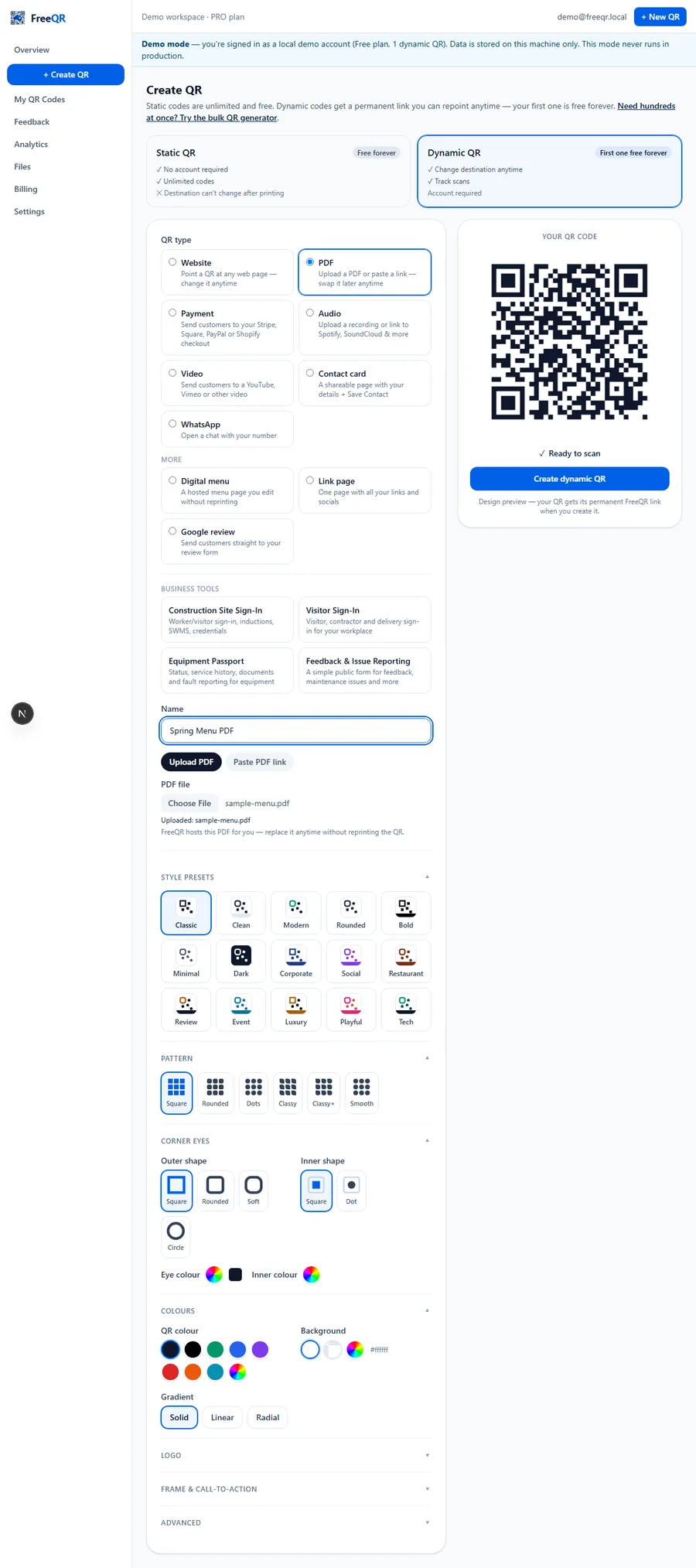
Create it, download it, print it
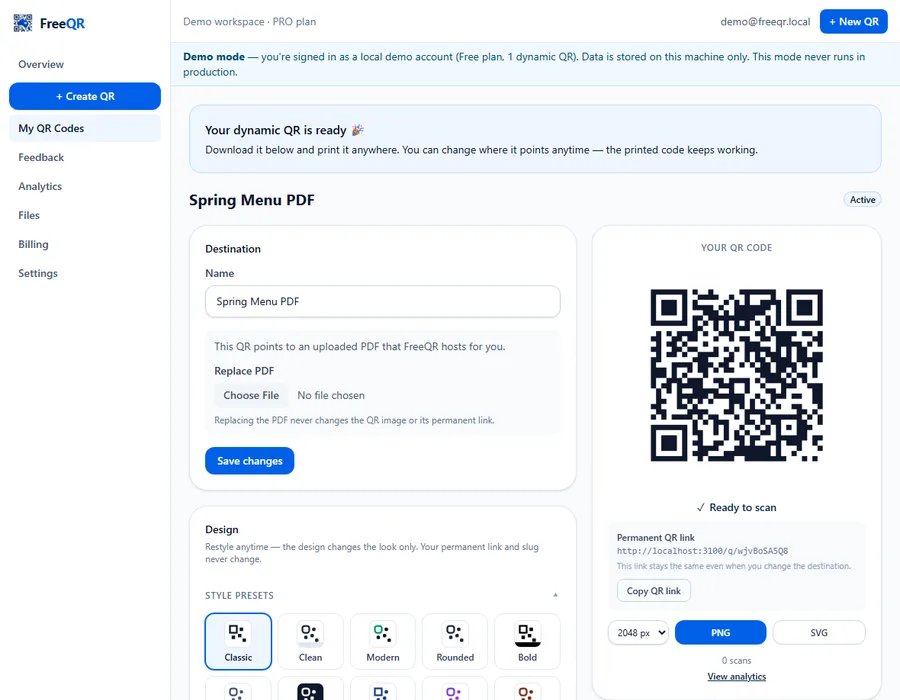
Click create, and the QR is ready immediately — download as PNG or SVG and print it on the menu stand, the product box, the noticeboard.
Replace the PDF later — the QR stays the same
When the menu changes, open the same QR's detail page and use Replace PDF to upload the new file. The QR code image and its permanent link are untouched — only the document behind it changes.
Real examples
Restaurant and café menus, product spec sheets and manuals, event programs, real-estate brochures, safety documents, equipment manuals. If you're attaching a manual to a physical piece of equipment specifically, FreeQR's Equipment Passports can attach documents directly to that equipment's own QR, alongside its service history — worth a look if the PDF belongs to a specific asset rather than a general link.
Pricing
A PDF QR that links to a PDF you already host is free on every plan. Having FreeQR host the file for you needs the Starter plan (A$4.99/month) and above. See current pricing for the full comparison.
Frequently asked questions
- Do I have to upload my PDF, or can I just paste a link?
- Either works. Pasting a link to a PDF you already host is free on every plan, Static or Dynamic. Having FreeQR host the file for you (the upload option) needs the Starter plan and above.
- What happens when someone scans a PDF QR code?
- Their browser opens (or downloads, depending on the phone) the PDF directly — no FreeQR account, app or login required on their end.
- Can I replace the PDF later without reprinting the QR?
- Yes, with a Dynamic QR — upload a new file (or paste a new link) from the same QR's detail page, and the same printed code opens the new document immediately. A Static QR's link is fixed once printed.
- Is there a file size limit?
- Uploaded PDFs can be up to 20 MB, within your plan's storage quota. A PDF you link to instead (already hosted elsewhere) has no FreeQR-side size limit at all.
- Can I track how many people opened it?
- Yes — every scan of a Dynamic QR is recorded, with totals over time, countries and devices, visible from the same QR's Analytics tab.