
How to Create a Dynamic QR Code You Can Edit Later
A real walkthrough of creating a dynamic QR code with FreeQR, changing its destination after printing, and proving the printed code itself never changes — plus static vs dynamic, explained properly.
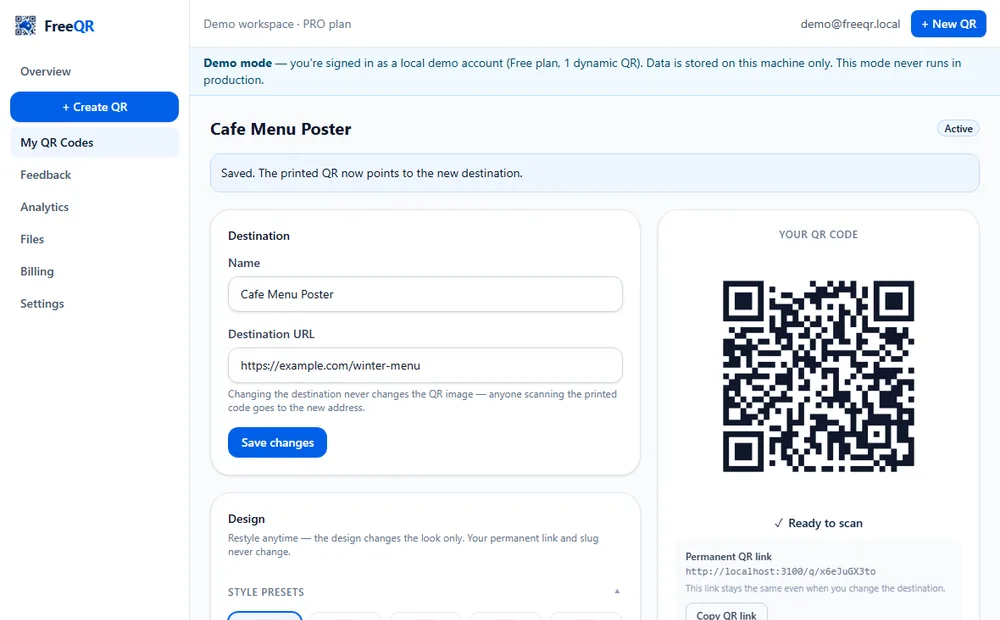
Print a QR code, and a month later the link it points to needs to change — a new menu, a moved event, a rebranded landing page. With a static QR, the only fix is printing a new one and replacing every sticker, poster or sign. A dynamic QR fixes this at the source: the printed code encodes a permanent FreeQR link, and you update where that link points from your dashboard, anytime.
This guide walks through the real flow end to end, with genuine FreeQR screenshots: create a dynamic QR, change its destination after creating it, and confirm — not just claim — that the printed code itself never changes.
Static vs dynamic, properly explained
Static QR: the destination is encoded directly inside the QR pattern itself. It's free, unlimited, needs no account, and works forever — but it's fixed the instant it's generated. There is no way to edit a static QR's content after the fact; you would generate and print a different one.
Dynamic QR: the QR pattern encodes a short FreeQR redirect link (e.g. freeqr.com.au/q/7Dk2MxQp). When someone scans it, FreeQR looks up the current destination for that link and sends them there. Because the printed pattern only ever points at the FreeQR link — never directly at your content — you can change the destination as often as you like without reprinting anything.
Setting it up, step by step
Create the QR
From Create QR in your FreeQR dashboard, choose Dynamic QR and the Website type (the default). Give it a name and enter the initial destination — in this example, a café's spring menu page.
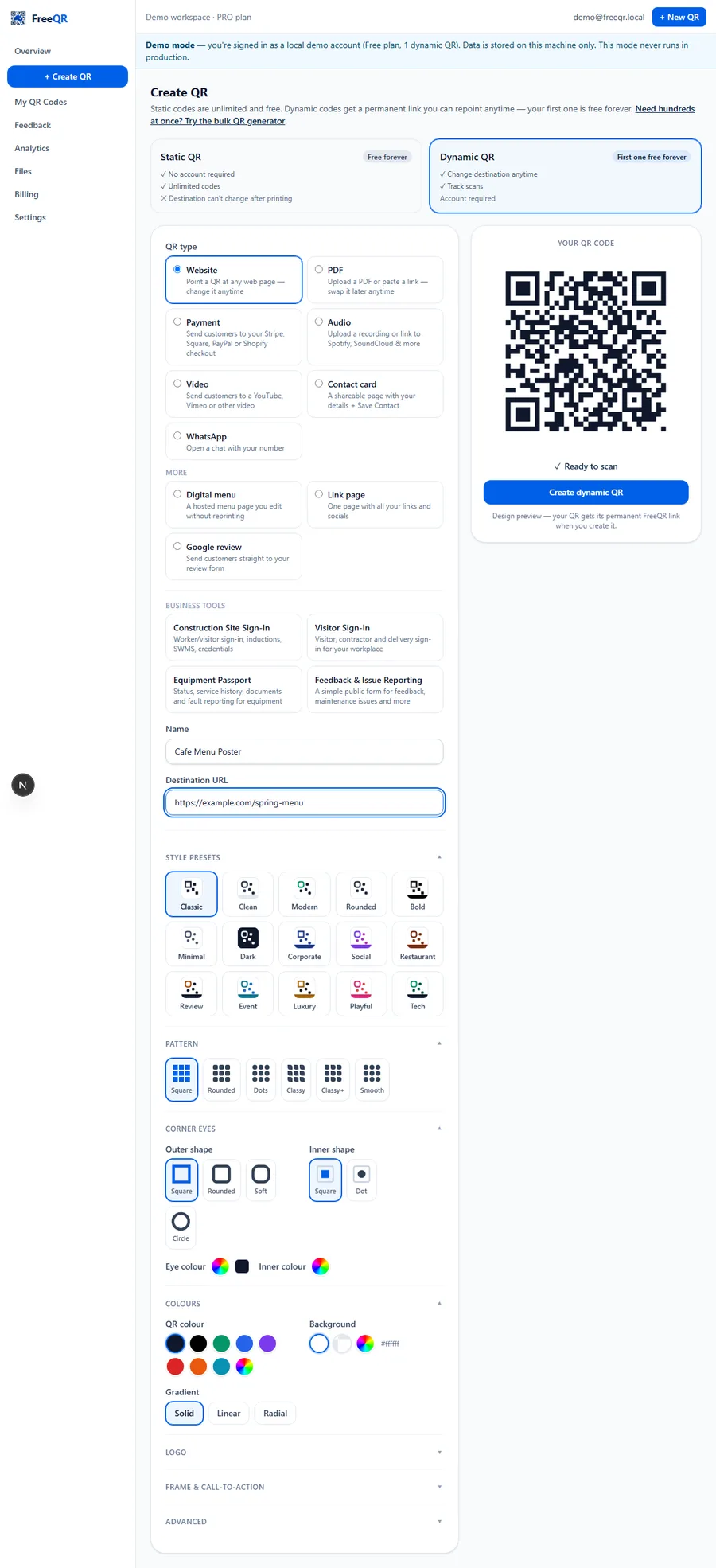
Download and print it
Once created, FreeQR shows the QR code, its permanent link, and download options (PNG or SVG, at the size you need). This is the image you'll actually print — and the only time you'll ever need to.
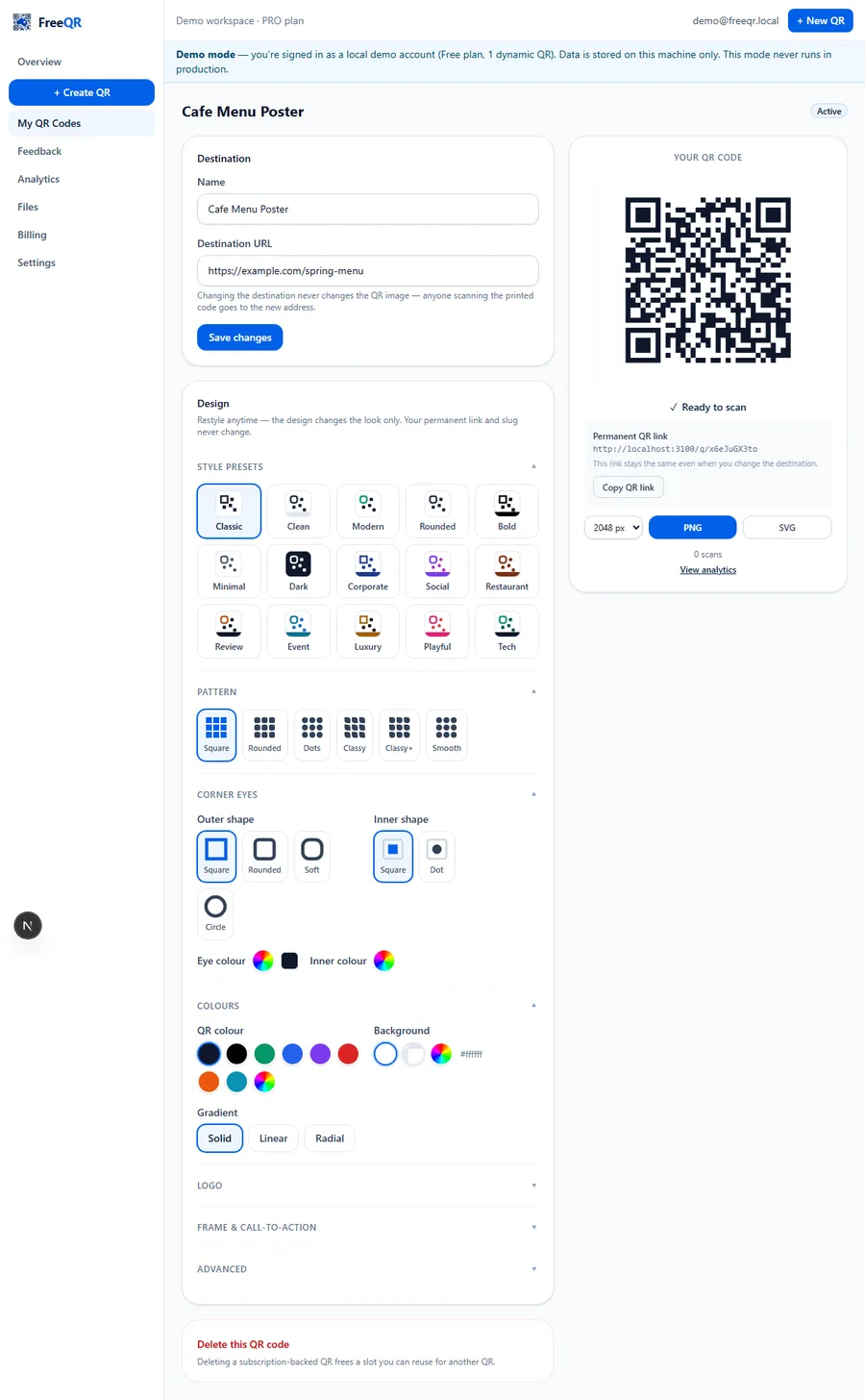
Change the destination later
Weeks or months later, open the same QR from My QR Codes, update the Destination URL field, and click Save changes. Nothing about the printed code is touched — only where it sends people next.
The one thing this proves
/q/x6eJuGX3to), immediately after changing its destination from /spring-menu to /winter-menu. The QR image is pixel-identical to the one generated at step 1 — that's the entire point of a dynamic QR.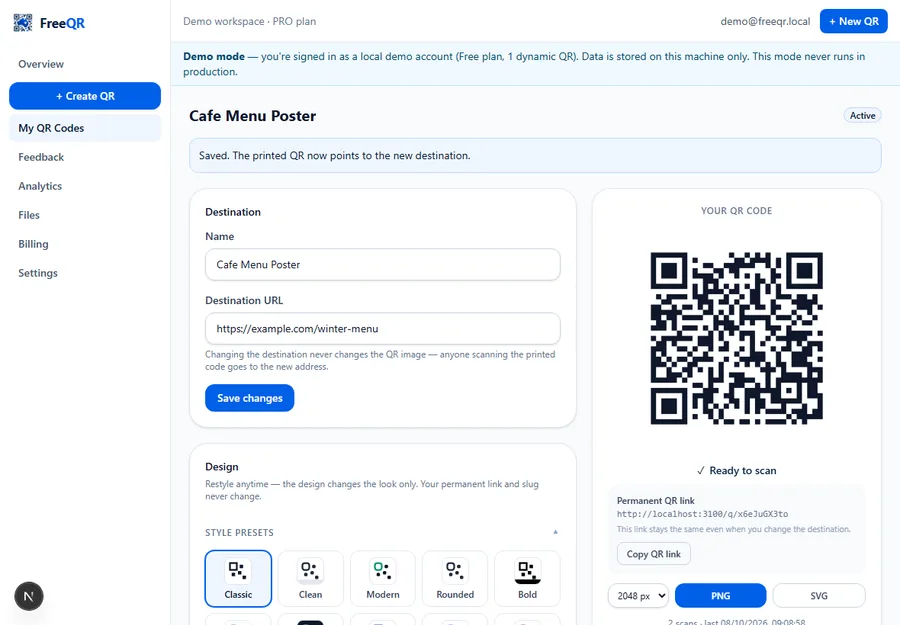
Scan it again
Scan the same printed code (or visit its permanent link directly) and you land on the new destination — not the old one. Every scan, old destination or new, is still counted in the same analytics history for that QR.
What stays active if you cancel or downgrade?
This is the question that actually matters before you print anything, so here it is in plain terms — no QR code you've already printed ever stops working just because you change plans:
- Your Free Forever QR — the very first dynamic QR you ever created — stays active and editable forever, on every plan including Free, whether or not you ever subscribe to anything.
- A Lifetime QR (a one-off A$29 purchase) also stays active and editable forever, completely independent of any subscription — cancelling a subscription never affects it.
- Subscription-backed QR codes — any dynamic QR beyond your Free Forever one and any Lifetime QRs — are never deleted if you downgrade or cancel. They pause (the printed code shows a simple "no longer active" page to anyone who scans it) until you upgrade again, at which point they reactivate exactly as they were.
In short: downgrading never destroys a QR code or forces you to reprint anything — it only pauses the codes beyond what your current plan covers, and your Free Forever and Lifetime QRs are never among them.
Try it yourself
The screenshots above are FreeQR's real dashboard, filled in with a fictional demo example for this article. The fastest way to see it for yourself is to create your own dynamic QR — it takes under a minute, and your first one is free forever.
Pricing
Your first dynamic QR is free forever — editable destination, scan analytics, no expiry, no credit card. Need more? Plans start at A$4.99/month for 10 dynamic QR codes, or add one extra lifetime QR for a one-off A$29 with no recurring fee. See current pricing for the full comparison, or read how to read your scan analytics once scans start coming in.
Frequently asked questions
- What's the actual difference between a static and a dynamic QR code?
- A static QR code has your destination encoded directly inside its pattern — print it, and that destination is permanent. A dynamic QR code encodes a short FreeQR link instead; FreeQR looks up the current destination at scan time, so you can change where it points from your dashboard without the printed code changing at all.
- Can I edit a static QR code after printing it?
- No. A static QR's content is fixed the moment it's generated — there's nothing to update later. If you need to change the destination, you'd generate and print a new static QR. This is exactly the problem a dynamic QR solves.
- Is my first dynamic QR really free?
- Yes — every verified FreeQR account gets one dynamic QR free forever: editable destination, scan analytics, no expiry, no credit card. Need more than one? Plans start at A$4.99/month for 10 codes, or add one extra lifetime QR for a one-off A$29.
- Does changing the destination affect the QR code's appearance?
- No. The QR code image — the actual pattern you print — is generated once from its permanent FreeQR link and never changes, no matter how many times you update the destination behind it.
- Can I see how many people have scanned it?
- Yes — every dynamic QR tracks scans automatically: totals over time, estimated unique visitors, countries, devices and browsers, with no extra setup.