
QR Code Fault Reporting for Councils and Public Facilities
A broken tap, a locked gate, a BBQ that won't light — a QR code on the facility itself turns that into a one-minute report instead of a phone call nobody quite knows where to direct. This is a practical walkthrough of how it actually works, using FreeQR's real Feedback & Issue Reporting screens.
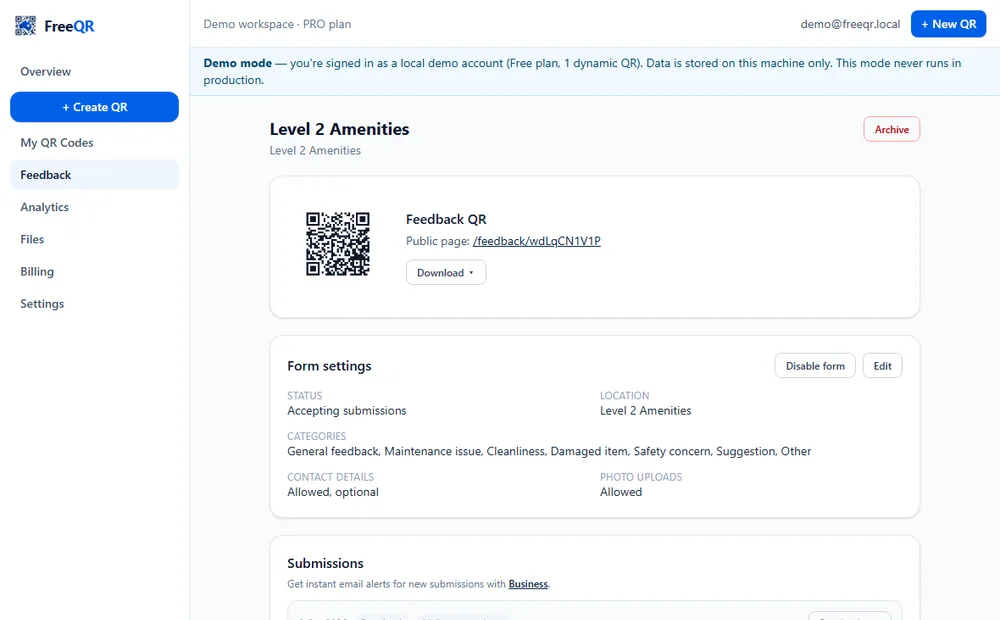
Councils and facility operators already get fault reports — they just arrive as phone calls to the wrong department, vague emails with no location, or nothing at all because reporting felt like too much effort for a broken tap. A QR code fixed to the actual facility changes the economics of reporting: whoever is standing in front of the problem can report it in under a minute, from the one place that already identifies exactly what's wrong and where.
This uses FreeQR's existing QR Feedback & Issue Reporting product — the same feature a cafe or gym would use for general feedback, with categories suited to public infrastructure (plumbing and water leaks, electrical and lighting, BBQ faults, locks and doors, accessibility, graffiti, overflow and waste, missing fixtures, and general categories besides). Nothing here is a separate, council-only system — it's the same reliable mechanism, configured for the job.
Not an emergency response system
Setting up a facility report form
Create the form and choose categories
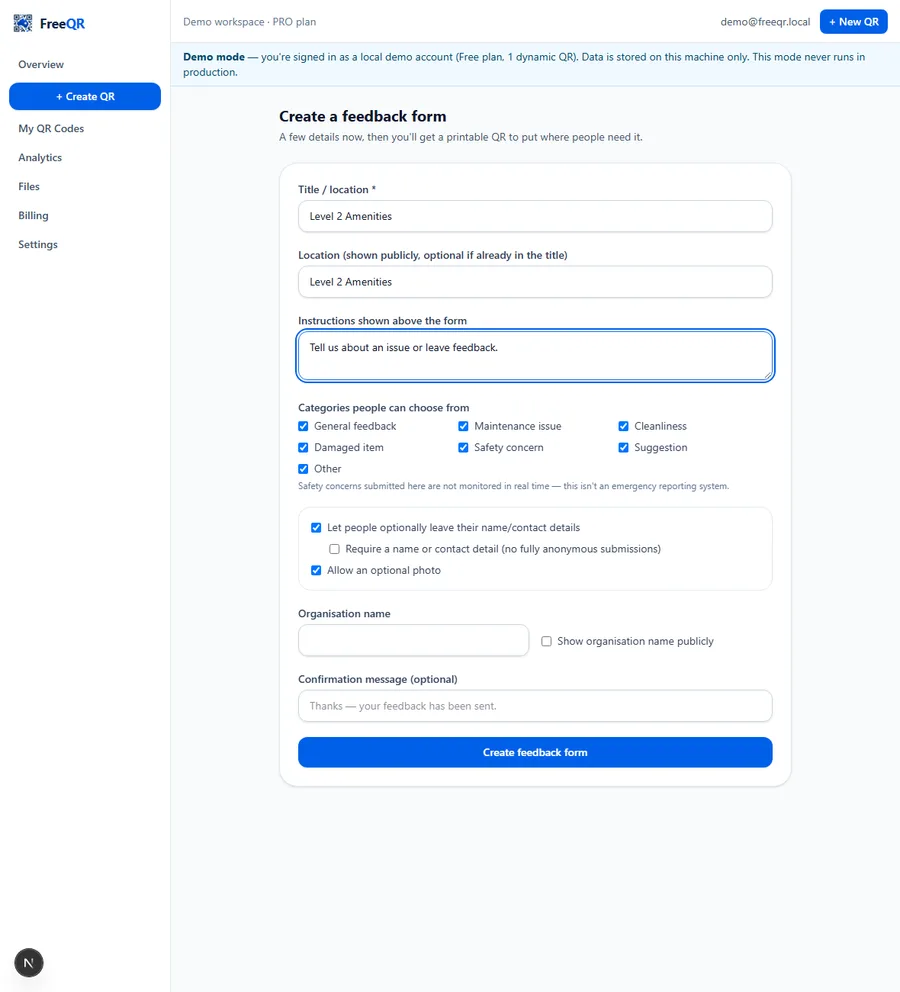
From Feedback in the FreeQR dashboard, create a new form, name it for the facility (“Riverside Park — Toilet Block 3” is far more useful later than “Feedback Form 1”), and choose which categories apply — a BBQ doesn't need an “accessibility” option if it's not relevant there, and a toilet block doesn't need “BBQ fault.”
Decide the privacy settings before you decide anything else
Three choices matter most: whether contact details are collected at all, whether they're optional or required, and whether photos are allowed. For a genuinely public facility, the honest default is anonymous-first — optional contact details, never required, so someone reporting a broken lock doesn't have to weigh up whether it's worth handing over their name and number first.
Print the sign and attach it to the facility
Download the QR as a PNG or SVG and have it printed onto a weatherproof sign — “Scan to report a fault or cleaning issue” is clearer than anything more clever. Place it where someone standing at the facility can actually see and reach it, not buried on a noticeboard metres away.
What the reporter sees
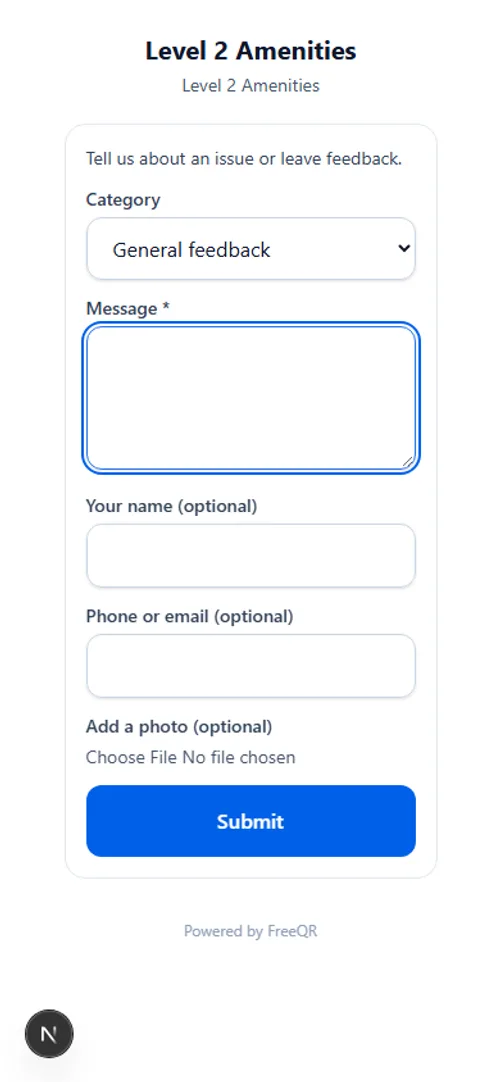
Scanning opens the public form directly — no app, no account. A category, a short description, an optional photo, and optional contact details if they want a reply. The “this isn't monitored in real time” notice sits on the page itself, not just on a separate page they'd have to go looking for.
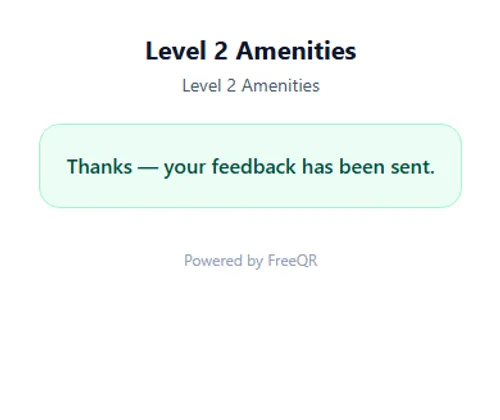
After submitting, they get a confirmation — and if the form has tracking enabled, a short reference code they can use later to check what happened, without ever creating an account or revealing who they are.
Triaging reports on your side
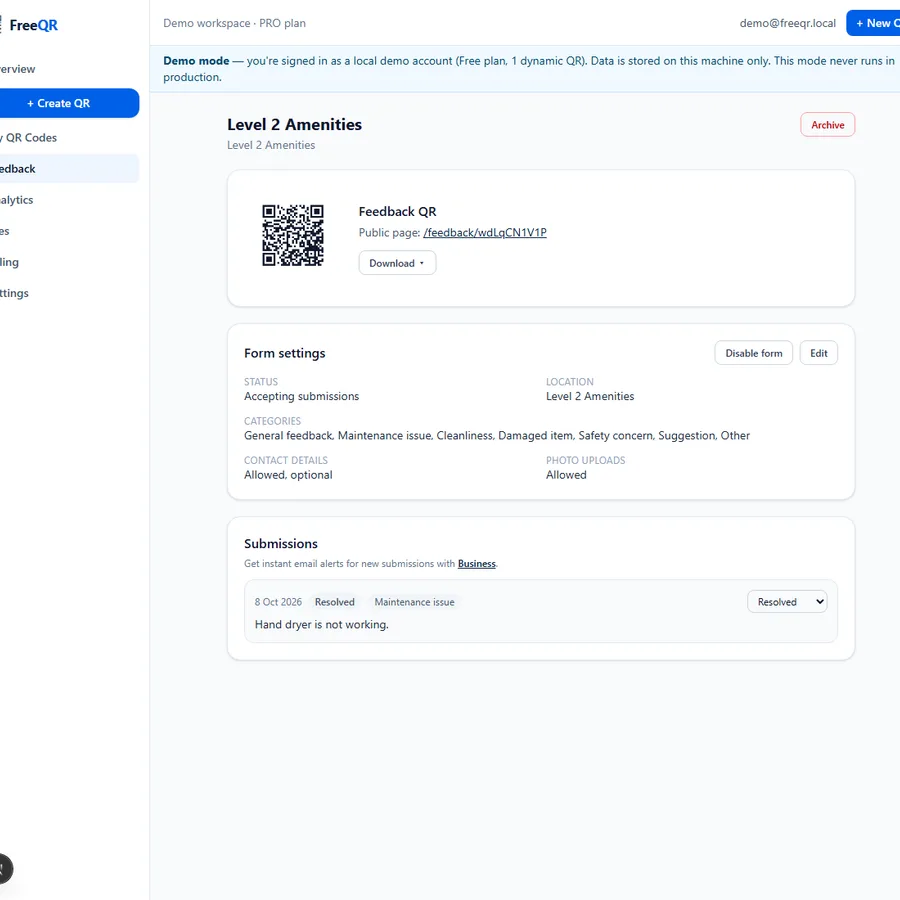
Every submission lands in the dashboard against the specific form (and therefore the specific facility) it came from. Staff can filter by category and status, move a report from New through Acknowledged, In progress or Awaiting contractor to Resolved or Closed (or mark it Duplicate if someone's already reported the same thing), add a staff-only internal note, and optionally send a short public reply the reporter can read with their tracking code — a genuinely different field from the internal note, so nothing meant for staff eyes only can accidentally reach the public.
Why this beats a phone number on a sign
A phone number gets a call that may go to voicemail, to the wrong team, or nowhere. A QR code on the exact facility captures the location automatically (it's the form that facility's code points to), lets the reporter show rather than describe the problem with a photo, and creates a timestamped record the moment it's submitted — all without demanding anyone's name first.
What this is not
It's not a real-time emergency system, not a statutory compliance or certification record, and not a replacement for a full works-order or asset-management system if your council already runs one — it's a fast, simple reporting layer that can feed into whatever process already exists behind it.
Pricing
QR Feedback & Issue Reporting needs FreeQR Pro (A$12.99/month) and above. See current pricing or the Council & Public Facility Fault Reporting overview for the full feature list.
Frequently asked questions
- Does a resident need an account or an app to report a fault?
- No. Scanning the QR opens a normal web form in their phone's browser — no app, no login, no FreeQR account required to submit.
- Is reporting anonymous?
- It can be, by owner choice. A form can be set to not collect contact details at all, make them optional, or require them — and even when collected, they're never shown publicly, only to the council/business managing the form.
- Is this an emergency reporting system?
- No, explicitly not. FreeQR's public submission form carries a clear notice that it isn't monitored in real time and directs anyone with an urgent safety issue to call the appropriate emergency number instead. Any real deployment should keep that notice visible, not remove it for a cleaner-looking page.
- Can a report include a photo?
- Yes, as an optional attachment — genuinely useful for showing exactly what's wrong without the reporter needing to describe it precisely.
- How do staff work through incoming reports?
- From the dashboard, by category and status — new, acknowledged, in progress, awaiting contractor, resolved, closed or duplicate — with an internal note field for staff-only context and a separate public reply the reporter can check later, never mixed together.
- What plan do I need?
- QR Feedback & Issue Reporting needs FreeQR Pro (A$12.99/month) and above.