
Equipment Passports for Gyms and Fitness Equipment
One machine with a QR code on it is a nice feature. Forty machines, each with service dates, fault history, instructions and documents genuinely tracked, is a different thing entirely — this is about running the whole floor as a managed asset register.
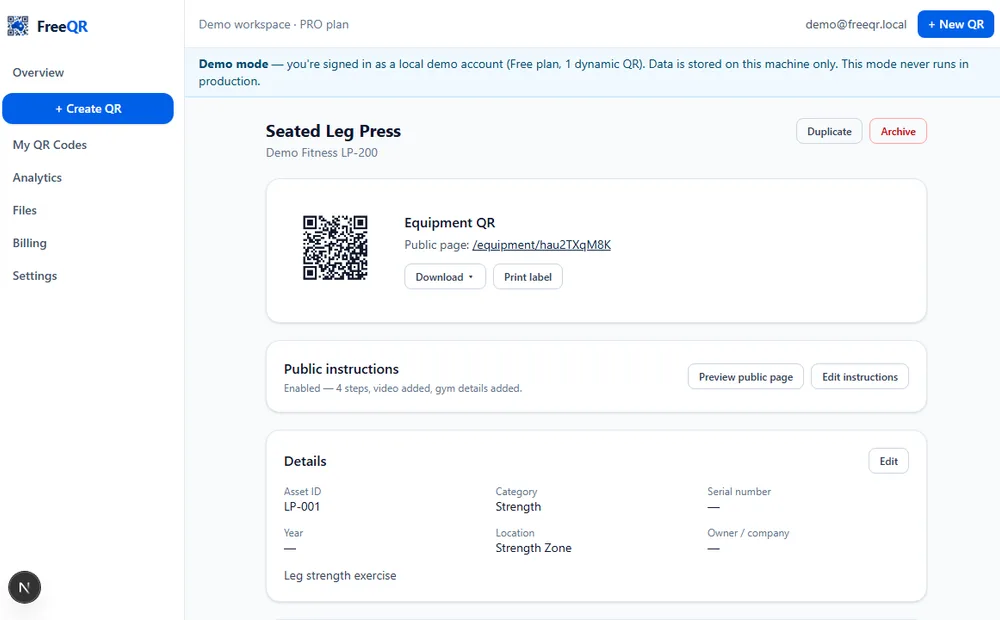
A spreadsheet of gym equipment answers “what do we own” but goes stale the moment someone services a machine, swaps a cable, or a member reports a fault that gets fixed verbally and never recorded anywhere. FreeQR Equipment Passports gives every machine a permanent QR code that opens a real record — status, service and inspection dates, documents, fault history — kept current because updating it is easier than not.
What the register actually tracks, per machine
Each Equipment Passport holds the basics (name, asset ID, make, model, serial number, location) plus the operational fields that make a register worth maintaining: current status (operational, service due, inspection due, out of service, under repair, retired), service and inspection dates with an overdue indicator, fault reports with their own resolution history, and a documents section covering manuals, risk assessments, SWMS, compliance certificates, warranties and more — each one versioned, so replacing a document archives the old copy rather than losing it.
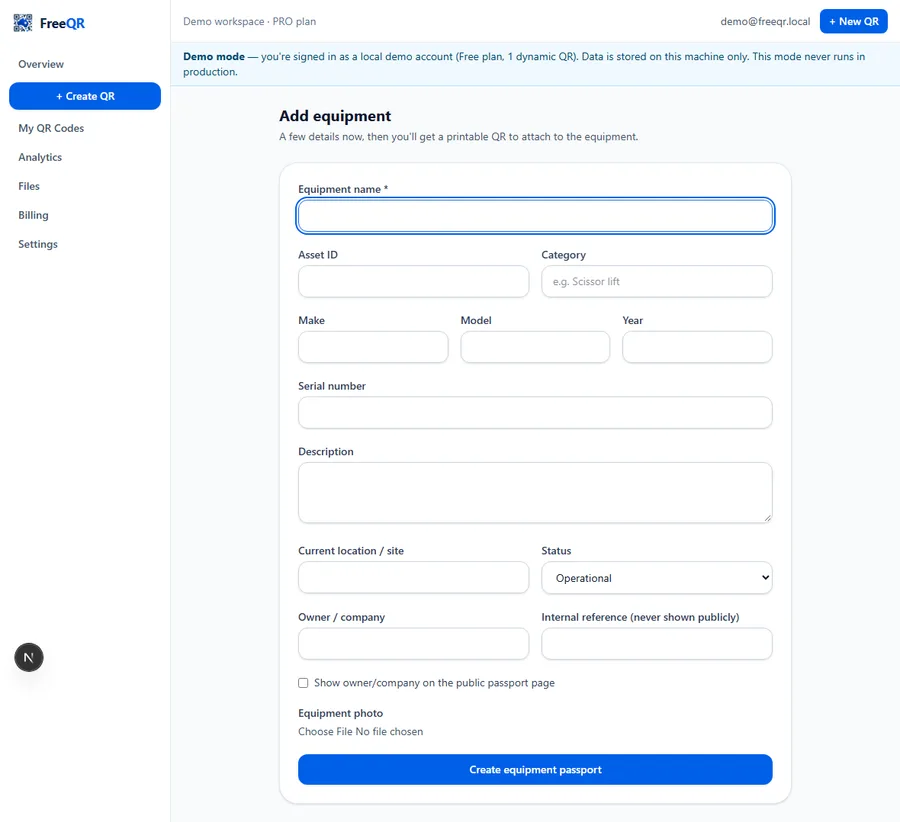
A fault doesn't have to wait for a staff walkthrough
Because the public page for a machine (when instructions are enabled) includes a fault-reporting button, a problem can be reported the moment a member notices it — not whenever staff happen to walk past. The report lands against that exact machine's record, with an optional photo, so there's no ambiguity about which of several identical machines needs attention.
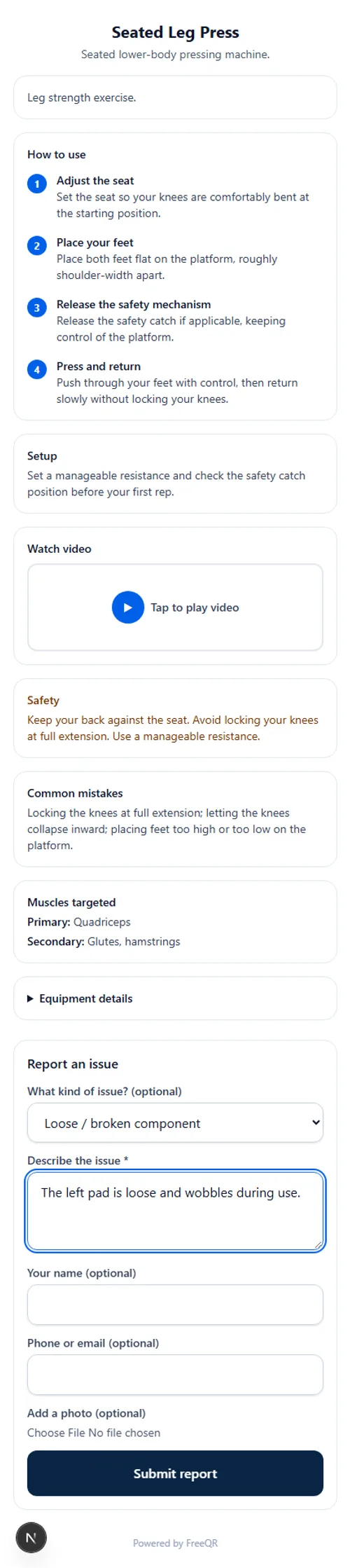
What a member sees never needs staff to keep it current
The public page a member reaches by scanning shows the useful operational facts — how to use the machine, safety notes, and whether it's currently in service — without staff needing to update a separate sign or noticeboard. Marking a machine “out of service” in the dashboard changes what every scanner of that QR code sees immediately.
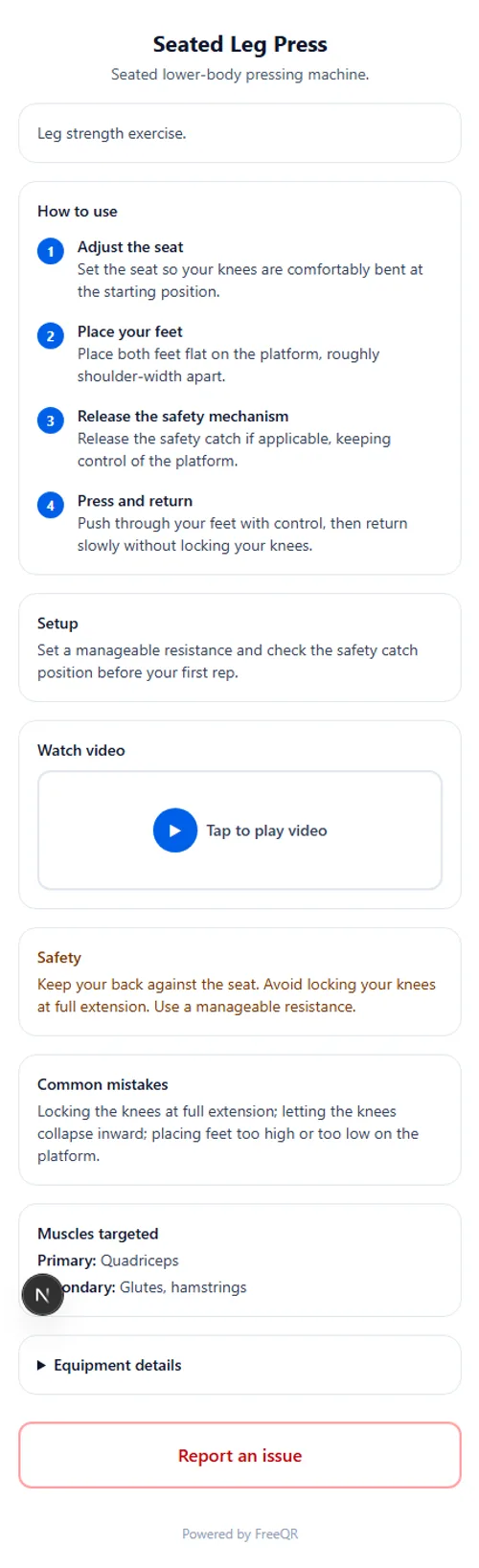
Not a substitute for manufacturer instructions or statutory checks
Running a whole floor, not one machine
For a real gym, the register's value is in the aggregate: a status overview showing which machines are overdue for service, which have open fault reports, and which are retired — read at a glance rather than pieced together machine by machine. Bulk CSV import and update handles onboarding a whole floor at once, and duplicating a machine's record copies its instructions and setup (never its serial number, fault history or scan history) when a gym adds another unit of the same equipment.
Pricing
Equipment Passports needs FreeQR Pro (A$12.99/month) and above; automated email alerts for faults and service/inspection reminders need Business (A$29.99/month) and above. See current pricing or the step-by-step guide to one machine to get started.
Frequently asked questions
- Is this a different product from the single-machine instructions guide?
- No — same underlying FreeQR Equipment Passports product. This article is about managing a whole fleet of machines as a register (service tracking, fault history, documents, status across all of them), not the step-by-step of building one machine's public instructions page.
- Does every machine need its own QR code?
- Yes — each Equipment Passport is its own record with its own permanent QR code, so a fault report, a service date or a document always points at one specific machine, never an ambiguous group.
- Can one document (a manual, say) apply to several identical machines?
- Yes — a document can be shared across multiple equipment records without re-uploading it for each one, useful when a gym has several identical units of the same machine.
- What happens to old instructions or documents when they're updated?
- A replaced document is archived, not deleted — so there's a real version history, not a single file silently overwritten with no record of what changed.
- Can members report faults without staff setting anything up per-machine?
- Fault reporting is available wherever instructions are enabled for a machine — a member scans, picks an issue type, and it lands in the dashboard against that exact machine.
- What plan do I need?
- Equipment Passports needs FreeQR Pro (A$12.99/month) and above; automated email alerts for faults and service/inspection reminders need Business (A$29.99/month) and above.