
QR Code Asset Management for Businesses
QR-based equipment tracking isn't just a gym thing. Any business with physical assets worth tracking — workshop tools, hired-out gear, shared office equipment, site plant — can use the same idea: a permanent QR code per asset, opening a record that's always current.
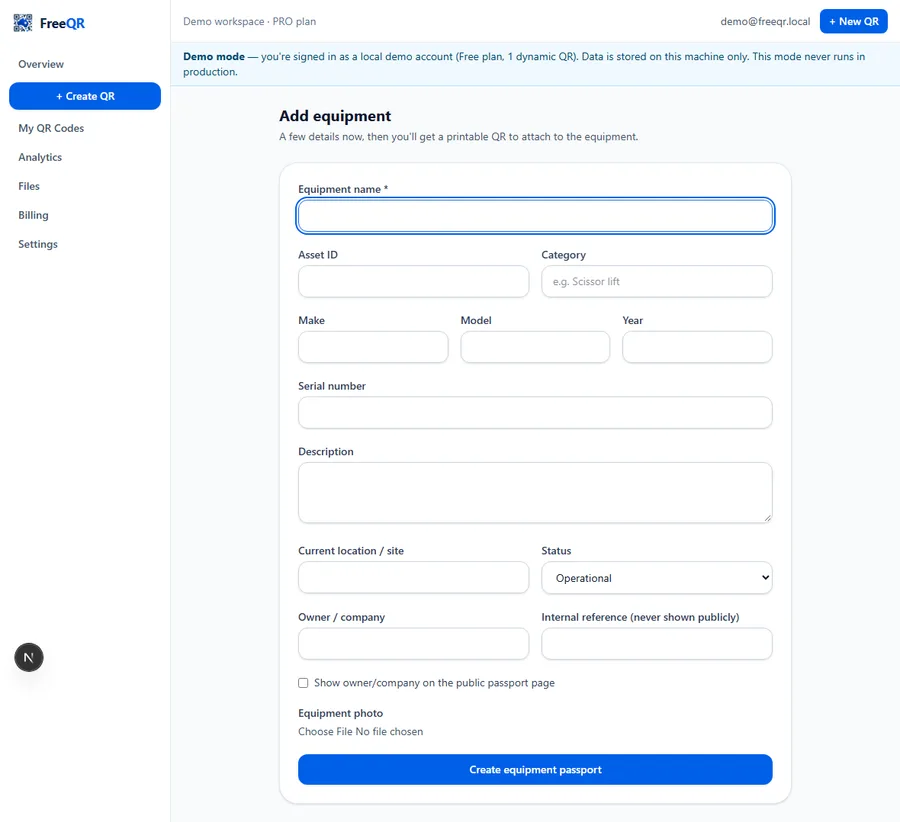
“Which one of our three pressure washers actually got serviced last month?” is the kind of question a spreadsheet answers badly and a sticky note on the machine doesn't answer at all. A QR code on the asset itself, opening a real record, answers it reliably — because updating that record is easier than not, and the code never has to be reprinted when the details change.
What actually goes on the record
Name, asset ID, make, model, serial number and location are the basics. The parts that make it worth maintaining are operational: current status (operational, service due, inspection due, out of service, under repair, retired), service and inspection dates with an overdue indicator, a fault-report history, and a documents section — manuals, warranties, compliance certificates, risk assessments and more — each one versioned, so replacing a document archives the previous copy instead of losing it.
Fault reporting without a help-desk ticket system
If fault reporting is enabled for an asset, anyone who can scan its QR code can report a problem — optionally anonymously, optionally with a photo — and it lands directly against that specific asset in the dashboard. For a workshop or site team, that's often simpler and faster than a separate ticketing system nobody remembers to check.
Public information vs internal records
A scanner sees only what the owner chooses to show publicly — typically status and basic identifying information, and documents explicitly marked public (a user manual, say). Internal reference numbers, private notes and anything not deliberately made public stay private, visible only in the owner's own dashboard.
Not a compliance or certification system
Setting up more than a handful of assets
For a dozen tools, adding them one at a time in the dashboard is fine. For a hundred, CSV import creates or updates many records in one pass — name, make, model, asset ID, category and location per row, with the operational details (service dates, documents, fault history) built up afterward per asset. Duplicating an existing record is useful for near-identical equipment, copying the setup but always issuing a fresh QR code and never copying serial numbers or fault history from the original.
Where this stops being the right tool
This is a QR-and-record layer for assets worth individually tracking — it's not a general inventory or warehouse-management system, not a payroll or scheduling system, and not a substitute for a full enterprise asset-management platform if a business already has genuinely complex needs beyond status, faults, service dates and documents per item.
Pricing
Equipment Passports needs FreeQR Pro (A$12.99/month) and above. See current pricing or the Equipment Passports overview for the full feature list.
Frequently asked questions
- Is this a different product from Equipment Passports?
- No — same product, FreeQR Equipment Passports, described here for general business assets rather than specifically gym equipment or public facilities.
- What kinds of assets does this actually suit?
- Anything a business wants a current status, fault history and documents for — workshop and trade tools, hired-out equipment, shared office gear, site plant and machinery. It's less suited to high-volume consumables or stock that isn't tracked as individual items.
- Does each asset need its own QR code?
- Yes — each Equipment Passport record has its own permanent QR code, so a fault report or a document always points at one specific, identifiable asset.
- Can someone report a fault without a FreeQR account?
- Yes, where fault reporting is enabled for that asset — an anonymous or named report lands directly in the dashboard against that asset.
- Can I bulk-create records for a lot of assets at once?
- Yes — CSV import can create or update many asset records in one pass rather than adding them one at a time.
- What plan do I need?
- Equipment Passports needs FreeQR Pro (A$12.99/month) and above.